
Nightly builds
RE: Nightly builds
that bugfix sounds overdue. Good job whatever pace keeps going is welcome
RE: Nightly builds
I was hoping that it would somehow fix my ATI shader problems too, but of course it doesn't. The new autopilot, however, made the download well worth it. 
RE: Nightly builds
Marcel wrote:
I was hoping that it would somehow fix my ATI shader problems too, but of course it doesn't.
Well, can't fix what we don't know of
 so make bug reports with hardware specs.Of course it's possible your gpu is just *that* old.
RE: Nightly builds
Yeah, it's exactly *that* old. I posted about this a year or so ago. Radeon 9550, Asus a7n8x, Athlon 2500+. It's supposed to do shader 2.0. Oh well, I'll get a newer one eventually. It's probably not worth worrying about.
I posted about this a year or so ago. Radeon 9550, Asus a7n8x, Athlon 2500+. It's supposed to do shader 2.0. Oh well, I'll get a newer one eventually. It's probably not worth worrying about.RE: Nightly builds
15 December - a3cdb9fTwo nice additions in the latest nightly:Multisampled antialiasingIf your card can cope, multisampled antialising is now enabled. Removes the jaggies from most things drawn in the game. Before:After:By default its set to 2x. You can change this by setting the "AntiAliasingMode" option in config.ini to 0 (off), 2, 4, 8 or 16, or by using you graphics driver config to override.Dock targetingIf you have docking clearance, the target square will now appear attached to the port you're cleared for. This makes manual landings much easier:
RE: Nightly builds
I like the target square manual landings can be fun
RE: Nightly builds
Hello,It seems the bulletin boards are not working (empty) in the latest nightly builds.Please fix this issue. Thank you in advance.
RE: Nightly builds
Press high time acceleration while docked and it should populate the board in-time.
RE: Nightly builds
robn wrote:
You can change this by setting the "AntiAliasingMode" option in config.ini to 0 (off), 2, 4, 8 or 16, or by using you graphics driver config to override.
Top tip robn, thanks for that. Now running in 16 AA mode and very nice I must say!

RE: Nightly builds
A fairly major refactor landed in the last nightly, and its almost certainly the cause of the problems. I'll start doing some testing on a couple of other machines I have here and see what I can come up with.If you can, could you please test with various options - with and without shaders and/or HDR, with antialiasing at 0, 2, 4, 8 and 16, and so on. I'll be doing the same set of tests here. Hopefully we can pin it down.
RE: Nightly builds
I've tested the following combinations:[*:2nq317as]AntiAliasingMode=0, HDR disabled[*:2nq317as]AntiAliasingMode=0, HDR enabled[*:2nq317as]AntiAliasingMode=2, HDR disabled[*:2nq317as]AntiAliasingMode=2, HDR enabledLinux/Nvidia and Windows/VMware worked correctly for me.I got my brother to test on a low-end Windows/Intel box. It failed on 2xAA+HDR, showing a blank 3D region (ie no intro ship or starfield, just the menu). No AA + HDR was not even an option - Pioneer wouldn't switch to HDR. This particular machine had very little graphics memory so that might be right, but it might point to an unrelated quirk in our feature detection.I did try on a Linux/Radeon machine, but its an old R300 and the official AMD drivers no longer have support for them. With the free drivers HDR refused to work regardless of AA mode. That could be a driver deficiency, and isn't something I can address right now.When you post the results of your test, please also post your opengl.txt (in your Pioneer dir) and link to it. Once I have your results I'll write this up into an issue.
RE: Nightly builds
I've logged issue #901 to track this. If you have hardware/software combos that aren't covered in that issue, it'd be great if you could do the tests and report the results. Please also post your opengl.txt.
RE: Nightly builds
Ok, we believe we have a fix. A build will appear in a few hours with the fix. I'll post when its up so people can try. Thanks for the feedback!
RE: Nightly builds
Build d664a5f has just been uploaded. Crash on OS X and glitches on Linux/Radeon confirmed fixed. I'm yet to test Windows/Intel but I expect it to be fine. Let us know if you see any further problems, and thanks for the report!
RE: Nightly builds
still updating the nightly builds ? ive got the twitter feed as well
RE: Nightly builds
ollobrain wrote:
still updating the nightly builds ? ive got the twitter feed as well
If you do get the twitter feed then you know there's an update every few days.
RE: Nightly builds
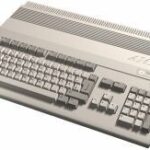
The latest build has something fun:Or you could wait for alpha 21, which will be released on 13 April
RE: Nightly builds
Gudadantza wrote:
A problem here with the last two nightlies. They simply do not launch. I run the exe and the executable does not work. I look into process tab but no process or aplication.
Confirmed. I'll be working on a fix this morning.
RE: Nightly builds
Ok, problem has been found. It also affects OS X and probably MSVC Windows builds as well. Its a simple problem with a few hairy knock-on effects, so its taken longer than I hoped to fix it. I'm at work now so I'll finish it off on my commute home. Once its pushed and a new build is available I'll post here.
RE: Nightly builds
All fixed: includes your Spanish translation updates. Cheers 