
Completed Pioneer Models
-
Potsmoke66
- Private
- Posts: 1815
- Joined: Sun Nov 27, 2016 2:43 pm
RE: Completed Pioneer Models
if you don't mind, i tooked a visit to the "Wave" model.first, i was surprised about the weak performance of the model (roundabout half of the framerate of the courier).the model has no variations and far less animated parts rather the courier (or others of mine), neither it has some exrtras like scanners and such.where could that come from?- some submodels have been used even at lod1, i would change that. the poslight submodel doesn't have to appear at lod1,no matter if you use it as a visible mesh and not only for collision detection (like i do, i have good reasons for that). - since you have a low poly for lod1, i would reserve lod1 for collision detection only.that means you would have to set lod1 to .1 (lower then 1 pixel), this let's the lowest lod never appear and you can restrict it from texture use and other performance breaks.- you can use the low-poly mesh for lod2 (first visible) as well, you won't recon the difference.i will see if i can gain some performance and let you know what i did exactly..mtl "matlib" is not supported by pioneer, or to tell right only half. material settings in .mtl will be disregarded, only the texture information is taken from it,this was done once due to a issue with the materials from matlib, they came out wrong in the game.i can't tell if this still persists, for some reasons it could be good to "revive" the matlib,on the other hand, materials won't appear anyway in the way you set them i.e. in Blender. you would have to use "Multiply" with the texture to see a similar result and still it's not the same as it appears in the game,because of that it makes more sense to me not to use it and to set the materials in the script.[/hr]something different,it has been told not to use landing gears for collision meshes.wrong.i wonder how our devs will manage to position a ship exactly on it's wheels, if the wheels have no collision mesh.since i started to model for pioneer i missed a proper height of the ships when landed and my suggestion was to take once the lowest geometry of the lowered undercarriage.what we have by now is dissatisfying, the eagle stands nearly proper on his wheels, but as bigger the models get as bigger get's the difference and large ships like the courier stand half of their height above the ground.really i wonder how our devs like to solve this without a collision mesh for the UC and without a detection of a lowered UC when landing/docking.this would also solve the problem with the courier and oher ships which lift the wings for landing (actually the size of the "in flight" model is taken for the lowest dimension when landed, i guess).this would be something i REALLY like to see, instead of many other things that have been changed and not for good.---btw, i experienced long ago that a ship without a UC collision mesh is hard to land (was, since the control of the ships is "advantage to the child" it isn't the same).
-
Potsmoke66
- Private
- Posts: 1815
- Joined: Sun Nov 27, 2016 2:43 pm
RE: Completed Pioneer Models
the funny thing is i can't see nothing wrong with it (the "Wave"), but still performance could be better i guess.ok got it!  i only left away the ****** useless glowmapperformance doubled!believe it or not (try yourself).---i only remapped the glowing parts to the base texture.first, it didn't makes much sense to use a glowmap if you have a seperated mesh for it, you can use simply the material setting for it on a common texture.a glowmap is only needed if you like to have glowing parts on a plain textured shape which has no special glowing parts, then it makes sense.the appearing performance hit i don't know where it's from, but i neither mind about, a glowmap is not needed for pioneer (only in certain special cases, but i believe any other solution will be better. imo better ad some poly's for a seperated mesh instead of a glowmap. but i know already some would have some crazy theories about that, which i wouldn't believe anyway).no theory!onlycomparison counts!to get more experienced i will make a simple skyscraper and compare the enlightened windows with either one or the other method.let's see what results from that... (i think the performance hit of 50% is far to much, but it can be it's from the uncommon use of the glowmap. usually you would simply add a glowmap with the same UV to the mesh instead of a seperated mesh and texture).[/hr]ok. if proper used the glowmap is a good helper but imagine that the glowmap only changes the appearence of the set material, thus you can use a simple greyscale for it and add the glowmap using the same UV as the texture.black = no change of brightnesswhite = max. brightness (which is still lower rather a glowing set material, but works)it will look like this
Code:
use_material('top') texture('hexbld.png') -- "common" texturetexture_glow('glow.png') -- greyscale glowmap (unfortunately it has to have 24bit depth, it wouldn't be needed for this)load_obj('hex_bld.obj')
i guess to make enlightened windows on a building or a ship it's a clever thing.IF USED PROPERLYtextures i used for this test;[attachment=999:hexbld_b.png][attachment=998:glow.png]looks weak, but it's only a test![attachment=1000:result.jpg]i guess i will use it especially for the buildings in future, it makes them a lot "slimmer".[/hr]actually you could use a glowmap for the wave, but it has to use the same layout (UV) as the texture and simply use a greyscale (but keep 24bit depth).this would work, but makes really not much sense for seperated glowing parts like engines especially because you have no influence or dynamic change of the glowing.the maximum amount of glow is limited to r,g,b = 1,1,1, colors aren't needed, because the color of the part get's determined by the texture (and material of course).
i only left away the ****** useless glowmapperformance doubled!believe it or not (try yourself).---i only remapped the glowing parts to the base texture.first, it didn't makes much sense to use a glowmap if you have a seperated mesh for it, you can use simply the material setting for it on a common texture.a glowmap is only needed if you like to have glowing parts on a plain textured shape which has no special glowing parts, then it makes sense.the appearing performance hit i don't know where it's from, but i neither mind about, a glowmap is not needed for pioneer (only in certain special cases, but i believe any other solution will be better. imo better ad some poly's for a seperated mesh instead of a glowmap. but i know already some would have some crazy theories about that, which i wouldn't believe anyway).no theory!onlycomparison counts!to get more experienced i will make a simple skyscraper and compare the enlightened windows with either one or the other method.let's see what results from that... (i think the performance hit of 50% is far to much, but it can be it's from the uncommon use of the glowmap. usually you would simply add a glowmap with the same UV to the mesh instead of a seperated mesh and texture).[/hr]ok. if proper used the glowmap is a good helper but imagine that the glowmap only changes the appearence of the set material, thus you can use a simple greyscale for it and add the glowmap using the same UV as the texture.black = no change of brightnesswhite = max. brightness (which is still lower rather a glowing set material, but works)it will look like thisCode:
use_material('top') texture('hexbld.png') -- "common" texturetexture_glow('glow.png') -- greyscale glowmap (unfortunately it has to have 24bit depth, it wouldn't be needed for this)load_obj('hex_bld.obj')
i guess to make enlightened windows on a building or a ship it's a clever thing.IF USED PROPERLYtextures i used for this test;[attachment=999:hexbld_b.png][attachment=998:glow.png]looks weak, but it's only a test![attachment=1000:result.jpg]i guess i will use it especially for the buildings in future, it makes them a lot "slimmer".[/hr]actually you could use a glowmap for the wave, but it has to use the same layout (UV) as the texture and simply use a greyscale (but keep 24bit depth).this would work, but makes really not much sense for seperated glowing parts like engines especially because you have no influence or dynamic change of the glowing.the maximum amount of glow is limited to r,g,b = 1,1,1, colors aren't needed, because the color of the part get's determined by the texture (and material of course).
RE: Completed Pioneer Models
potsmoke66 wrote:
- some submodels have been used even at lod1, i would change that. the poslight submodel doesn't have to appear at lod1,
This is not true.
potsmoke66 wrote:
.mtl "matlib" is not supported by pioneer, or to tell right only half. material settings in .mtl will be disregarded, only the texture information is taken from it,this was done once due to a issue with the materials from matlib, they came out wrong in the game.i can't tell if this still persists, for some reasons it could be good to "revive" the matlib,on the other hand, materials won't appear anyway in the way you set them i.e. in Blender. you would have to use "Multiply" with the texture to see a similar result and still it's not the same as it appears in the game,because of that it makes more sense to me not to use it and to set the materials in the script.
.mtl is not used in Wave
potsmoke66 wrote:
it has been told not to use landing gears for collision meshes.
Not true.
Quote:
what we have by now is dissatisfying, the eagle stands nearly proper on his wheels, but as bigger the models get as bigger get's the difference and large ships like the courier stand half of their height above the ground.
This have nothing to do with collision mesh. But at least one ship indeed have broken collision mesh (Hammerhead).
RE: Completed Pioneer Models
This isn't quite a completed model, but I've been messing with the airport station and since it's been dropped I figured I'd post what I've done thus far for anyone who wants it.[attachment=1011:airport00.jpg][attachment=1012:airport01.jpg]Extract the data folder to your pioneer-alpha17 folder.[attachment=1013:airports17.zip]
-
Guest
RE: Completed Pioneer Models
Marcel wrote:
This isn't quite a completed model, but I've been messing with the airport station and since it's been dropped I figured I'd post what I've done thus far for anyone who wants it.
Being the original author of the airport station, I'd say that this is a much nicer improvement over my 'programmer art'.As for it being dropped, well it was just an experiment of mine to see if I could get the autopilot to land a ship just like the real thing, and I couldn't get it working the way I wanted it to. I'm suprised they lasted this long, and it is sad to see it finally go, but we need to move on (and there are far better 3d modellers out there than me) as I don't think it was very space like.I think the current startports (the 1, 2, 3, 4 round landing ports) need to have some lov'n though. Maybe you can apply these textures to those stations?
RE: Completed Pioneer Models
It was only dropped because it couldn't handle being placed on tricky terrain. When Brasilia Starport was one such station, there was a ravine near the middle of the starport, and the landing pad was buried in the land next to the ravine.
RE: Completed Pioneer Models
Quote:
I think the current startports (the 1, 2, 3, 4 round landing ports) need to have some lov'n though. Maybe you can apply these textures to those stations?
This [url]http://www.spacesimcentral.com/forum/viewtopic.php?f=35&t=1101&start=770[/url] is almost finished. I was planning to upload it as a package with the airport and a slightly upgraded spacestations.lua.
Quote:
It was only dropped because it couldn't handle being placed on tricky terrain. When Brasilia Starport was one such station, there was a ravine near the middle of the starport, and the landing pad was buried in the land next to the ravine.
Without shaders I can't see this. I found I couldn't land at Brasilia but everything remained visible. It's only when I see other peoples' pix and videos that I can see how much is covered by the ground.
RE: Completed Pioneer Models
Marcel wrote:
Without shaders I can't see this.
My Intel chipset doesn't support shaders. I can see this on that, just fine.
RE: Completed Pioneer Models
Philbywhizz wrote:
Marcel wrote:
This isn't quite a completed model, but I've been messing with the airport station and since it's been dropped I figured I'd post what I've done thus far for anyone who wants it.
As for it being dropped, well it was just an experiment of mine to see if I could get the autopilot to land a ship just like the real thing, and I couldn't get it working the way I wanted it to. I'm suprised they lasted this long, and it is sad to see it finally go, but we need to move on (and there are far better 3d modellers out there than me) as I don't think it was very space like.
Brianetta wrote:
It was only dropped because it couldn't handle being placed on tricky terrain. When Brasilia Starport was one such station, there was a ravine near the middle of the starport, and the landing pad was buried in the land next to the ravine.
Yeah like he said
 There was never anything wrong with it visually, I liked it myself We can bring it back once we have some proper slope calculation added into starport placement, or some flattening going on with terrain around the starport.
Quote:
Without shaders I can't see this. I found I couldn't land at Brasilia but everything remained visible. It's only when I see other peoples' pix and videos that I can see how much is covered by the ground.
Well it used to be that without shaders you could see through the ground to the bottom of the building, basically the depth on the buildings was wrong so yes you would see the starport despite it actually being buried in the ground
Whereas those with shaders would actually see it buried. I'm not sure if this shaderless thing was fixed, but I dont think it was. It used to be far more obvious when all buildings had a basement area, that is an area below what is considered ground level to a building.RE: Completed Pioneer Models
s2odan wrote:
Brianetta wrote:
It was only dropped because it couldn't handle being placed on tricky terrain. When Brasilia Starport was one such station, there was a ravine near the middle of the starport, and the landing pad was buried in the land next to the ravine.
Yeah like he said
There was never anything wrong with it visually, I liked it myself We can bring it back once we have some proper slope calculation added into starport placement, or some flattening going on with terrain around the starport.The other reason it was dropped was because the runway itself didn't do anything. Philbywhizz spent a long time trying to get the ship to use the runway for takeoff and landing but couldn't make it work. It kinda doesn't make sense for most ship types anyway though.As noted, we can always bring it back in the future
-
Subzeroplainzero
- Private
- Posts: 171
- Joined: Wed Nov 24, 2010 12:59 pm
RE: Completed Pioneer Models
I like it even though it doesn't actually work. It's kind of like a throwback to older times when spacecraft needed a runway for take-off.
-
Potsmoke66
- Private
- Posts: 1815
- Joined: Sun Nov 27, 2016 2:43 pm
RE: Completed Pioneer Models
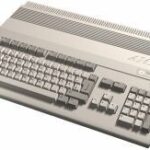
since i started this topic, i'm allowed to post something really off topic (i guess )some retro feeling...[attachment=1016:retrowb_001.jpg]it might confuse some by the look of it, no?(since i still can't run pioneer, i have to fiddle around a bit with some aged stuff)[/hr]i know, i acted like a pincher before...i was stressed extremely, that's why i retreated for a while.most is fine now, i have a flat to live (but still no work), i'm feeling much better now.  there was times when i didn't know where to live past 1st of january (under the bridge?
  ).[/hr]it seems like i have to pick up the "how to..." threads, because now some would like to know how to setup a script for a model in pioneer.that won't be easy i guess. i started out (again) by a request from a german user, but i noticed that it will be heavy, very heavy to explain all in words.i need pictures and videos i guess (could be complicated without the my PC, even if the macbook is very reliable, but sometimes i hate all this "advanced" programs, preassumings things i don't like to do with them. how could they know in which way a user will use his computer? it's fine for a typist, secretary, but... further every tid-bit costs money, even some configurable joystick controller or whatever you are in need on a mac. or you have to take a deep search in the web to find some free softs. if they work at all, it seems there are more compatibility problems between mac os's rather between windoze's. "das hält den rubel am rollen"....)[/hr](i can't convert to amiga .iff properly on the mac. why? no software to do so, or if then it won't work proper)GIMP didn't runs, arguing no X11 present, while the "GIMP Painter" compilation works fine. strange no? (GIMP didn't supports .iff).XnView would convert from/to .iff, the only version running on my mac is very unstable (marked as unstable, but the only working one).it does it only halfways on my mac, windows .bmp, .iff and perhaps other formats result in a greyscale always, while i performed on windowseven lossless scaling of 32bit pictures, even with a "negative mask" (mask and whole picture is kept, most paint programs and converters can't do that, they only convert/modify the visible parts of the picture, all "negative" masked parts get lost.if someone knows a good free paint program beyond GIMP for MAC or PC, please let me know.all this photoshop style is rubbish, imho.i need something reliable like my old picture publisher 8, handling masks and objects in the way I need it.it's a real treat putting masks together in GIMP or Photoshop (and most other, since most lean on photoshop)i need a paint programm where i can overlay the mask as a "ruby coat" on the pic, so i can work on both, mask and picture.objects shouldn't affect masks if not wanted and masks shouldn't be exclusive for layers that's useless and only complicating things.well, it might sound complicated to you if i tell that i have to make different masks for the objects in "PP8" and save them if i need them later on, but it's not as it sounds and it never fails, even it's much easier to join the masks together in the end.i like to have control over the result and won't leave this to a software routine (lowlevel is always better ).apart from the biggest disgrace, loosing invisible parts when transforming a picture, that's.... (i won't tell this here, but i don 't get the clue why afreeware viewer/converter like xnview can do what a licensed software can't).one big dislike, if i have multiple objects (layers) in GIMP, the layers didn't get handled exclusive on the picture,means you cannot work only on a spacific selected layer and when you like to pick the layer to move it it has to be "alpha 255", else you can't pick it, they only respecting visible parts of the picture/layer.further why is a selection not a alpha channel? i still didn't know how to export them properly so i got a masked picture later,sometimes it works, sometimes not, annoying!in the actual way with GIMP i didn't know how to cut a specific part, make a greyscale of it and to use it on the mask, something i do repetivelywhen creating textures.i miss a backdrop screen for GIMP, the cluttered windows are a treat, where do i place my "cutouts", which i need to assemble a texture?on the "Workbench"? reminds me of Amigas cluttered windows shown above likewise i'm not sure if i like the new Blender version, i still use 2.49 and i didn't like the "MAX" look it has become now. apart from that i guess not much have changed in Blender, but to make a tutorial i will have to respect Blender 2.6 features andmostly the new feel of the programs surface.[/hr]p.s.i guess that's why it's named "photoshop" it's good for maintaining photos, but not to create textures by hand.what i need is a "textureshop" like good old PP8. unfortunately it has been moved from abandonware and it's now under licence of "Corel" (even when it's from '98, aged, really aged, but like a good wine...).btw, did you know that DPaint still lives on?
)some retro feeling...[attachment=1016:retrowb_001.jpg]it might confuse some by the look of it, no?(since i still can't run pioneer, i have to fiddle around a bit with some aged stuff)[/hr]i know, i acted like a pincher before...i was stressed extremely, that's why i retreated for a while.most is fine now, i have a flat to live (but still no work), i'm feeling much better now. there was times when i didn't know where to live past 1st of january (under the bridge? ).[/hr]it seems like i have to pick up the "how to..." threads, because now some would like to know how to setup a script for a model in pioneer.that won't be easy i guess. i started out (again) by a request from a german user, but i noticed that it will be heavy, very heavy to explain all in words.i need pictures and videos i guess (could be complicated without the my PC, even if the macbook is very reliable, but sometimes i hate all this "advanced" programs, preassumings things i don't like to do with them. how could they know in which way a user will use his computer? it's fine for a typist, secretary, but... further every tid-bit costs money, even some configurable joystick controller or whatever you are in need on a mac. or you have to take a deep search in the web to find some free softs. if they work at all, it seems there are more compatibility problems between mac os's rather between windoze's. "das hält den rubel am rollen"....)[/hr](i can't convert to amiga .iff properly on the mac. why? no software to do so, or if then it won't work proper)GIMP didn't runs, arguing no X11 present, while the "GIMP Painter" compilation works fine. strange no? (GIMP didn't supports .iff).XnView would convert from/to .iff, the only version running on my mac is very unstable (marked as unstable, but the only working one).it does it only halfways on my mac, windows .bmp, .iff and perhaps other formats result in a greyscale always, while i performed on windowseven lossless scaling of 32bit pictures, even with a "negative mask" (mask and whole picture is kept, most paint programs and converters can't do that, they only convert/modify the visible parts of the picture, all "negative" masked parts get lost.if someone knows a good free paint program beyond GIMP for MAC or PC, please let me know.all this photoshop style is rubbish, imho.i need something reliable like my old picture publisher 8, handling masks and objects in the way I need it.it's a real treat putting masks together in GIMP or Photoshop (and most other, since most lean on photoshop)i need a paint programm where i can overlay the mask as a "ruby coat" on the pic, so i can work on both, mask and picture.objects shouldn't affect masks if not wanted and masks shouldn't be exclusive for layers that's useless and only complicating things.well, it might sound complicated to you if i tell that i have to make different masks for the objects in "PP8" and save them if i need them later on, but it's not as it sounds and it never fails, even it's much easier to join the masks together in the end.i like to have control over the result and won't leave this to a software routine (lowlevel is always better ).apart from the biggest disgrace, loosing invisible parts when transforming a picture, that's.... (i won't tell this here, but i don 't get the clue why afreeware viewer/converter like xnview can do what a licensed software can't).one big dislike, if i have multiple objects (layers) in GIMP, the layers didn't get handled exclusive on the picture,means you cannot work only on a spacific selected layer and when you like to pick the layer to move it it has to be "alpha 255", else you can't pick it, they only respecting visible parts of the picture/layer.further why is a selection not a alpha channel? i still didn't know how to export them properly so i got a masked picture later,sometimes it works, sometimes not, annoying!in the actual way with GIMP i didn't know how to cut a specific part, make a greyscale of it and to use it on the mask, something i do repetivelywhen creating textures.i miss a backdrop screen for GIMP, the cluttered windows are a treat, where do i place my "cutouts", which i need to assemble a texture?on the "Workbench"? reminds me of Amigas cluttered windows shown above likewise i'm not sure if i like the new Blender version, i still use 2.49 and i didn't like the "MAX" look it has become now. apart from that i guess not much have changed in Blender, but to make a tutorial i will have to respect Blender 2.6 features andmostly the new feel of the programs surface.[/hr]p.s.i guess that's why it's named "photoshop" it's good for maintaining photos, but not to create textures by hand.what i need is a "textureshop" like good old PP8. unfortunately it has been moved from abandonware and it's now under licence of "Corel" (even when it's from '98, aged, really aged, but like a good wine...).btw, did you know that DPaint still lives on?RE: Completed Pioneer Models
Good to hear from you Gernot! I'm glad things are going better for you. I love the picture, it really brings back memories. Sorry, but I can't help you find a paint program.
Sorry, but I can't help you find a paint program.RE: Completed Pioneer Models
This is a test addon for alpha 17. It adds textures and details to all of the ground stations in Pioneer. I've followed my usual m.o. and stole the textures from potsmoke66. (a criminal always returns to the scene of the crime) I copied the ones I used to a new folder, data/models/stations/textures. I've also updated the lighting inside the nice and hoop stations and textured and detailed the mushroom stations. I've tested it on nightly build ad9fa61 successfully so I assume it'll work for alpha 18 too. That's what I ran to get these pix of a new game starting on Earth.[attachment=1018:LA00.jpg][attachment=1019:LA01.jpg][attachment=1020:LA02.jpg]
RE: Completed Pioneer Models
Disclaimer: This is barely playable on my 10 year old computer. I get 15fps at the 4 pad station and it takes almost 2 minutes to load a game, but I figure if it works ok for me, it'll work for anyone. I'm hoping for some feedback about how well it works for you. Ctrl-i will display your framerateTo install, drag the enclosed data folder to your pioneer folder and allow it to overwrite. It includes backups of the spacestations and ground_stations lua files.Edit: I found a bad texture call just now while flying to Lunar City. I've removed spacestations13.zip until I fix it. 
RE: Completed Pioneer Models
I will give this a try for you Marcel Looks great by the way! ;)EDIT: Loaded it up and get between 40 to 60 fps flying around the pads with eveything set to max detail. Load times have increased a little too, but nothing to worry over, just a few extra seconds. Most annoying thing is though, that there just not enough space around the pads due to the proximity of the high rise buildings to really buzz them. I would like to see what flying past them at a higher speed would do to the framerate. I will look out for another less populated starport. :)But yes, Marcel, I like them! 
Looks great by the way! ;)EDIT: Loaded it up and get between 40 to 60 fps flying around the pads with eveything set to max detail. Load times have increased a little too, but nothing to worry over, just a few extra seconds. Most annoying thing is though, that there just not enough space around the pads due to the proximity of the high rise buildings to really buzz them. I would like to see what flying past them at a higher speed would do to the framerate. I will look out for another less populated starport. :)But yes, Marcel, I like them! RE: Completed Pioneer Models
It's good to hear that. I'm afraid I might have overdone it a bit. You should try it in alpha17 with the hometowns installed. It takes 8 minutes for me to load a game!Anyway, here's an updated file. I'm not sure what was wrong, but I tested this with all the ground stations so it's guaranteed to work... I think.  [attachment=1021:spacestations 13a.zip]
[attachment=1021:spacestations 13a.zip]RE: Completed Pioneer Models
Ireally like these pads. Especially the fence around them, it's finally something to give a sense of scale when your ship is parked. A loading truck parked at the side of the pad could enhance that impression, but then we might get into Poly-crisis on lower end machines... Maybe an option that gets triggered by the graphic detail setting?The only criticism I have is that the surface texture looks too rough. I don't know if you tiled it or if it's just one texture, , but a bit of a smoother surface and some paint could increase the look quite a bit, something like this here:
RE: Completed Pioneer Models
Thanks! I know what you mean about the railings. Once I started putting them in, the thing started to look almost real to me. The rectangles are supposed to be the closed roll top doors of freight elevators. I fantasize that someday they'll open and robot cranes will emerge to transfer your cargo.The texture is grav.png from city3k. It's tiled and supposed to look like a painted asphalt parking lot. Maybe it'll look better if I shrink it a bit.
RE: Completed Pioneer Models
Quote:
The rectangles are supposed to be the closed roll top doors of freight elevators.
Ah... I thought they were some kind of vents. If they are supposed to be roll-up doors, the contrast between the elements is probably too high, provoking more the asociation with grills. But making them Identifiable as roll-up doors might be really tough. Maybe a warning in the style of "elevator - do not walk" or somesuch...